
Implementation of a robust and expensive CRM system – Salesforce
In 2020, AITOM decided to invest in technologies that would improve processes within the company. One of these was the Salesforce CRM. This system is robust; it can be configured or programmed to handle virtually anything the company might require in terms of sales processes. It took us some time before we began to utilise even a small portion of the functionalities the system offers, and our key account managers (hereinafter KAMs) also got to grips with how it works. We had to map out the entire sales process in detail, including the services we offer and decision trees – what might happen during the sales process, and so on. All of this is necessary to be able to configure the system correctly in the first place. From this, we derived the data we need to collect and update at each stage, and subsequently implemented reporting templates for each KAM. Through gradual adaptation, we identified gaps and listed all the additional functionalities we absolutely need from the system to work more efficiently. There are a great many of these, and we have only managed to implement a small portion so far, but even so, we are able to show you today plenty of handy features that are already making a sales representative’s daily work easier and more enjoyable.
1. Implementation of the Merk integration
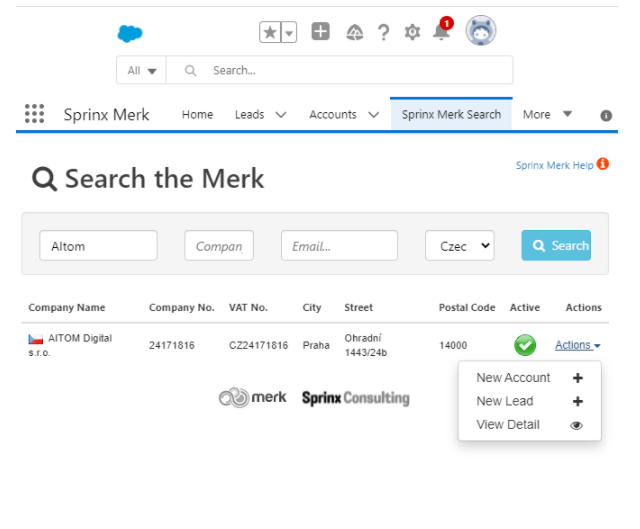
The biggest manual task, which nobody enjoyed, was entering large amounts of data for individual companies. We found and implemented a beautifully functioning integration between the Merk company database and Salesforce. The only work involved was mapping the fields so that the fields from Merk would be correctly transferred to our fields in Salesforce. Now, a sales representative simply needs to enter the company name and everything else is automatically filled in from Merk directly into Salesforce.

2. Integrating Gmail with Salesforce
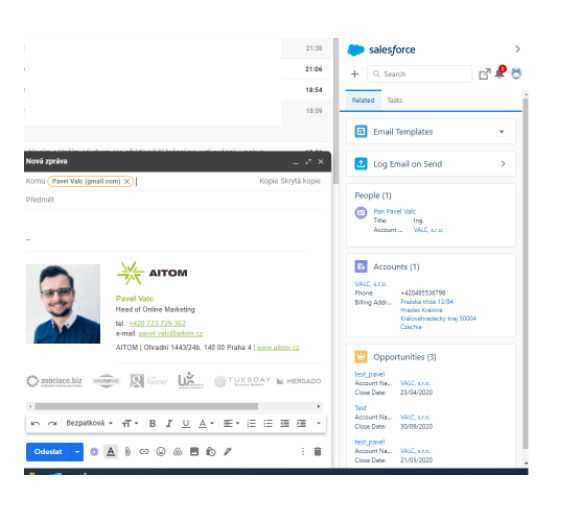
Another improvement for sales representatives is to utilise the partnership between Google and Salesforce, which has resulted in a useful feature that allows any email from Gmail to be linked to Salesforce. We had to set up the server following clear instructions, and then each sales representative simply downloaded the Salesforce Google Chrome web extension from the Google Store and entered their login details for their Salesforce account. Now, when they write an email to someone who isn’t yet in Salesforce, a simple pop-up window appears where they can choose what they want to do with that email address (e.g. create a lead or contact). If an account and opportunity are assigned to a specific email address, all email correspondence is automatically linked to that account and opportunity. So they don’t need to manually enter anything into Salesforce; the technology handles it all automatically.
Similarly, Salesforce can be integrated with Outlook; the process is very similar. The only weakness we have identified is when a company’s email runs on Google, but the user employs the Outlook client to download emails from Google because they find it easier to work in Outlook. In such cases, the integration cannot be utilised.
3. Activity Reports
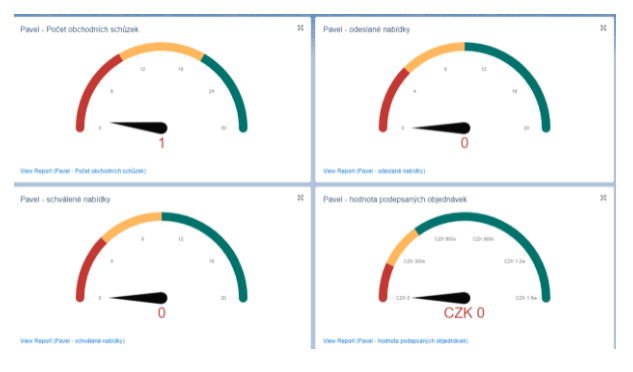
In companies where sales are taken seriously, there are statistics for every sales activity throughout the entire sales process. Thanks to these, both the individual salesperson and their manager immediately know what is going well, what is going wrong, and where to look for the causes of successes or failures. For our salespeople, filling in these statistics was very time-consuming. That is why, in Salesforce, we created an activity type for each of their statistics that can be measured and recorded as they progress through the entire process. An example might be the number of calls made to new leads per month. In Salesforce, we have the option to record a ‘call’ activity for leads, and every time a sales representative marks that they have had a call with a lead, the system records this and adds it to the statistics. Each sales representative has their own dashboard where they can see their activity for the month – from the number of calls and meetings to the turnover generated. They see all this in relation to their targets, so they always know whether they need to step up their efforts and where. The sales team manager has a daily overview of everything and doesn’t waste time manually checking figures.
Utilising Active Campaign’s capabilities and integration with Salesforce CRM
We also had to make a change in the area of email marketing. Previously, we used the simple Mailchimp, which was perfectly adequate for basic mailings. However, if you want to utilise more advanced automation with decision trees and features such as web tracking (monitoring user behaviour from the database on your website), you need something a bit better. At AITOM, we opted for Active Campaign, which offers a combination of many excellent features, whether for marketing automation or even for sales in the form of its own CRM. What’s more, its price is comparable to that of Mailchimp. This tool accounts for a wide range of scenarios that may arise in the sales process, which is why its automation and segmentation capabilities are almost limitless. What’s more, it recognises that every company uses different CRMs and marketing technologies. It has therefore focused on a super-simple integration option with practically any well-known marketing technology – whether through direct integration or via Zapier (a platform enabling easy integration of all possible technologies). We were most impressed by their direct integration with Salesforce, which takes the connection between sales and marketing to the next level. How does this work in practice?
1. Database sharing between Salesforce and Active Campaign
What’s so revolutionary about database sharing? The point is that when one system acquires a new lead or contact, it automatically sends this information to the other system, and we can set up automations to determine what should be sent to the contact and what notes should be added. Both systems thus always have up-to-date data. The only weak point is the synchronisation time from Salesforce to Active Campaign – the shortest possible interval there is 1 hour. Conversely, data updates from Active Campaign to Salesforce are essentially instantaneous or take a maximum of a few minutes.
2. The sales representative actively builds a newsletter recipient database
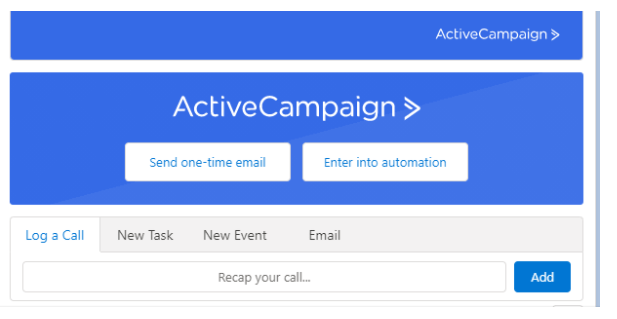
We can demonstrate the benefit of database sharing right away with the first example. We send out a newsletter every month and are keen to build our database. This allows us to send updates on what’s new and interesting relatively free of charge, thereby generating demand for our services. Like many other companies, we have a pop-up form for collecting email addresses for the newsletter, but only a small proportion of website visitors actively sign up there. However, many more people contact us to enquire about a specific service or send a query via the website form. Usually, a sales representative calls the enquirer to find out their needs. Sometimes it works out and leads to a sale; sometimes it doesn’t make sense. However, there is always the option to ask whether the person would like to stay in touch and receive our newsletter. If they agree, the sales representative can now click a button directly in Salesforce for each contact or lead to send an email, which appears thanks to the integration of Salesforce CRM and Active Campaign. It works by preparing an email in Active Campaign and making it visible to Salesforce in the settings. So the sales representative will only see those shared with Salesforce; in this case, it is a so-called double opt-in email. This must be sent so that we have legal proof that the person in question has indeed consented to subscribing to the newsletter. The moment the sales representative clicks ‘send’, this email is sent from Active Campaign and, at the same time, the contact is added to the prepared automation workflow. If they confirm, they receive a welcome email with interesting articles and a flag in the database indicating they were manually added by the sales representative. Even during the phone call, the sales representative can thus ensure the growth of our database.
3. Tracking website activity
This next feature builds seamlessly on the previous one. Because Active Campaign allows you to measure the activity of individual contacts from the database after implementing a tracking pixel on the website, and can also share this data through its integration with Salesforce, it provides the sales representative with an amazing overview of every single contact in the database. When a sales representative hovers over a lead or contact in Salesforce, they will see a small window displaying all that contact’s activity on the website, in emails and within automations. Within seconds, they can find out what interested that person (for example, which service on the website), how many times they visited, how many pages they viewed, what caught their attention in the email, and so on. For the contact mentioned above, they can check whether they confirmed their email and opened the welcome campaign, and which articles might have caught their interest. If they haven’t confirmed, they can respond and ask what happened. Similarly, when we send out any mass newsletter and someone opens it, clicks through or visits the website, we collect data immediately. But how can we streamline this when I have thousands of contacts in the database and don’t have time to constantly monitor who did what and where?
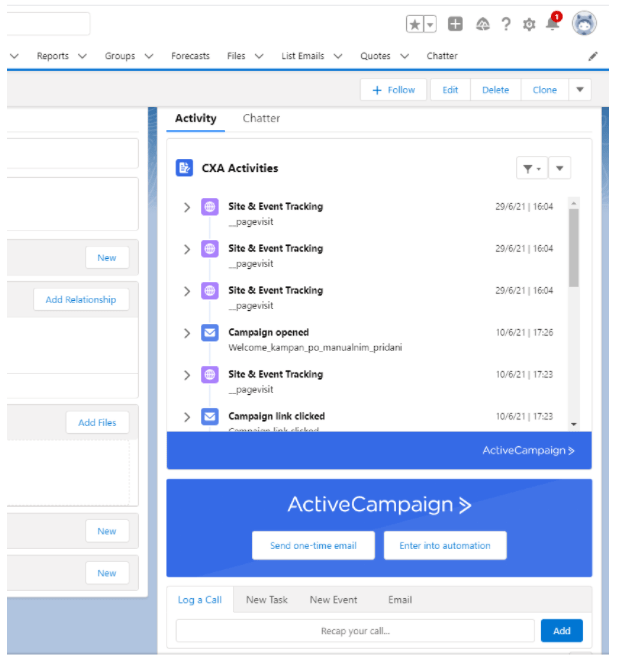
4. Notifications to the sales representative when their customer has visited the website
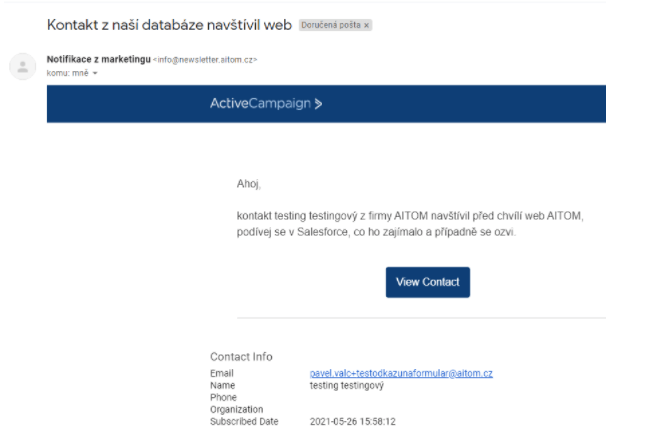
We also had to find an answer to the previous question. The solution is to set up a handy notification sent to the sales representative from Active Campaign. This is one of the key advantages of this tool over its competitors – it can send notification emails based on defined criteria. Every B2B company looking to automate needs this. So, if someone from the Active Campaign database has visited the website, the system automatically sends the sales representative a notification email, the content of which I have configured to include, in the body of the message, who and from which company visited the website, along with a task for the sales representative to review their activity in detail in Salesforce. The result is that the sales representative can call at exactly the right moment – when the other party is interested in discussing something or is looking for something. This significantly increases the conversion rate of these calls.
5. Saving all customer activities to a Google Sheet
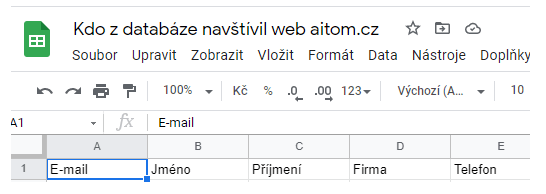
Even once you’ve ensured the sales representative receives a notification, there’s still no guarantee they’ll make the call. There are plenty of reasons why they might not. They might forget, overlook the email, be ill, on holiday, or simply not feel like it. For such cases, we have a backup system. Every time a notification is sent to a sales representative, a structured record of this activity is simultaneously sent to a Google Sheet, which the team manager has access to and can thus review retrospectively to see what happened. Once again, we’re using a simple, direct integration between Active Campaign and Google. I created this spreadsheet on our drive and, in Active Campaign, linked the Google account, selected the drive and file, and mapped the individual fields.
6. Flexible creation of landing pages with registration forms and automation
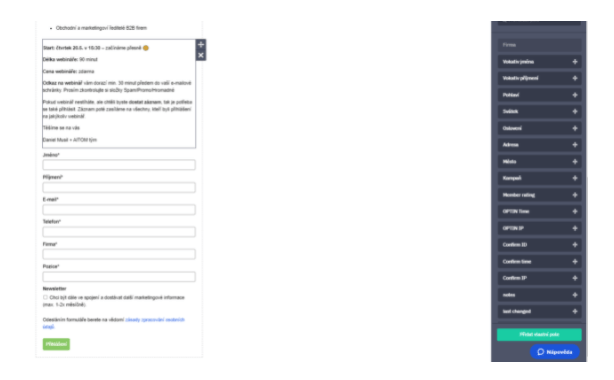
If, as a company, you need to organise an event quickly, such as a webinar, you can very quickly and easily (using drag and drop) build a landing page within Active Campaign, into which you can insert a form linked to your database. At the form level, you can set up double opt-in and then configure automation within the tool to be sent once registration is confirmed. This is how we quickly organised and technically prepared our latest webinar on B2B digital transformation. Everyone who registered and was not yet in our database had to confirm the double opt-in email received immediately after submitting the form. Within the database, we set up automation so that all registrants receive a tag indicating they registered via this webinar. We can then use this information for segmenting future campaigns.
As you can see, it’s possible to do a great many things more efficiently. We’re still only at the beginning; we want to introduce further automation when working with customers within the sales process, but more on that another time. The aim of this article was to show that your company, too, can set up lots of smart features itself, relatively quickly and without spending millions. The automations described above could also be set up for other CRM systems, albeit with minor adjustments. If you’re not entirely confident about doing this yourself, get in touch – we’d be happy to help.