
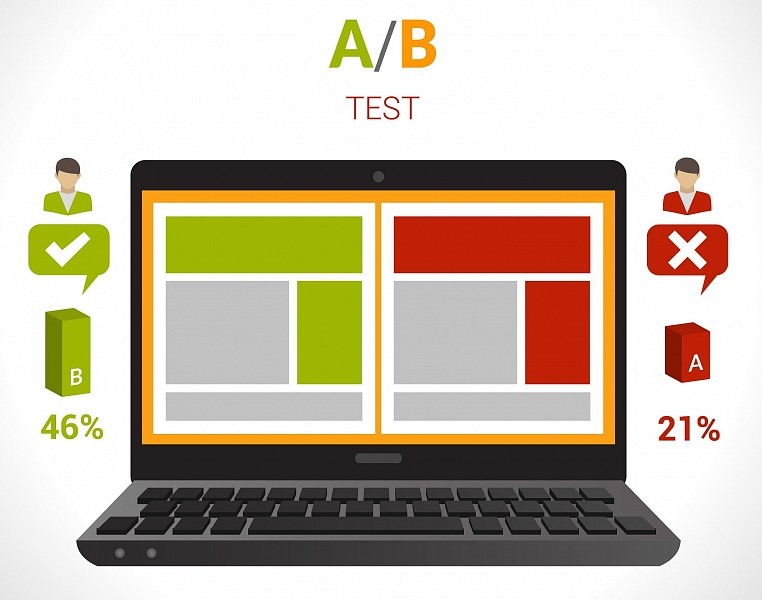
What is A/B testing
A/B testing is a method that allows you to compare the effectiveness of websites. Above all, it tells you how your users perceive the site, what they like and what they prefer to click on. You can thus test product descriptions, colour schemes and button labels, various banners and much more.
4 reasons to test your website
- Higher conversion rates
- Tracking user behaviour
- Objective and effective evaluation of page elements
- Cost savings – perhaps all you need to do is change the colour of a button; you don’t have to redesign the entire website straight away
How to carry out A/B testing in 5 steps
1. Weakness analysis
Select the weak point you want to test. We can test practically anything – text, images, banners, buttons. However, you can also test different types of discounts and offers for existing customers.
2. Future metrics
At the start, set the goal you want to achieve and choose an appropriate metric. Most commonly, we measure conversions – i.e. whether a customer submitted an enquiry or made a purchase – but we can also measure, for example, time spent on the page (i.e. whether users are reading the content or just clicking through).
3. Timeframe
Even children know that: Statistics are boring, but they contain valuable data. It is important to have a large test group and therefore to choose a sufficiently long testing period. If 1,000 users visit the site every day, a week’s testing is sufficient. If only a few dozen users visit the site, you may need to test for several months. There’s no point in rushing when testing. Our aim is to find out how to improve the site’s design and achieve higher conversion rates.
4. Two test versions
Prepare two versions of the test. Each version will be shown to a subset of users. You can show variant A to half the users and variant B to the other half, or show variant B to every third visitor. You will then select the winner based on their reactions. Always test two variants against each other – after all, the method is called A/B testing, not A/B/C/D. You’re not practising the alphabet, but selecting a functional solution.
5. Effective evaluation
You’re nearing the finish line. The testing period is over and you can evaluate the results. Using data from Google Analytics, assess which variant users preferred. Alternatively, continue testing if the results are unclear or you don’t have enough data.
How we tested the button at AITOM
At AITOM, we decided to try something different. You’ll usually find green buttons on our website. That’s because it’s our corporate colour and also because both men and women view green positively. We decided to take a risk and try orange and brown buttons.
Colours have a significant influence on our psyche and decision-making. Although orange is a relatively aggressive colour, when shopping it evokes a fair offer and affordability. We often perceive brown as a guarantee of reliability. You can find an interesting infographic in English on how colours influence conversions here
.
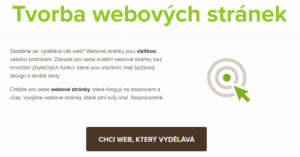
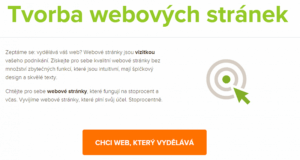
We chose conversion as our metric – in our case, the completion of an enquiry form. We intend to test the button for six months. We launched the test at the end of May, so we are currently halfway through, but we can already monitor the results.
Google Analytics compares the new variants against the original green one. So far, the orange button is clearly in the lead:

A/B testing is a fundamental method for examining user behaviour. There are, of course, significantly more complex and sophisticated testing methods. For example, using multivariate tests, you can test several elements on a page at once. However, such testing is complex, and proper evaluation requires experience.
Do you also want to improve conversions or simply find out how your customers behave? Get in touch with us. We’ll help you test critical elements and find the optimal solution.