We’ve come across the dilemma of whether or not to quote a price, for example, with a company that builds houses. Imagine the client’s situation: every house is designed on a bespoke basis, because every family wants a slightly different type of guttering, a different heating system; some want just the shell, whilst others want the interiors as well. All of this affects the final price of the house.
And imagine you’re in the position of a family buying a house – you know you have a mortgage of, say, 3 million crowns. You need to know whether you can build your dream home for that amount. You need to know what you can afford to include and what type of house the money will cover.
It seems like a stalemate, doesn’t it? What’s more, it’s important to bear in mind that in some sectors, the price of a service is essentially valuable commercial information, and some guard it as their most precious trade secret. On the other hand, we know that Czech customers are very price-conscious.
Ask your customers
The best solution is to find out from your customers whether they actually need to know the price in order to purchase the service. And then offer them a solution.
You can analyse customer needs using the Value Proposition Canvas method; this analysis will reveal how important price is and whether it determines whether a customer contacts you specifically with an enquiry.
The second approach is to conduct user testing and, as part of a scenario, ask users how and why they are interested in pricing terms. You can carry out user testing in-house.
Download the user testing guide
When is it necessary to display prices?
The question is, why not list them? Most customers perceive clear pricing as transparent; in their eyes, it builds trust. We’ll look at a few examples, including how publishing prices affected conversions.
Generally, based on our testing experience, it’s better to list prices. So far, all our testers agree that they want to know at least an approximate price in advance. It is also very important to communicate the price in a way that is easy for users to understand. If your offer is complex, you can have a calculator programmed to work out the price for potential customers.
Example 1: AITOM – Show prices on a scale
When developing a website, it is not really possible to set fixed price lists. Some websites are built using templates, whilst others require complex programming work. Sometimes a graphic designer has to spend a long time studying materials and corporate guidelines; at other times, the brief is straightforward and the work is quicker because we know the client well and understand their expectations. That is why, like most agencies, we work on an hourly rate basis. You can find our rates on the website.
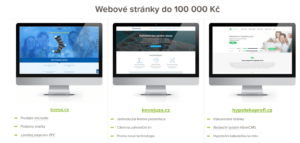
However, a client who is not an expert naturally does not have a precise idea of how complex the development process is. We have therefore created a page where we compare websites from our portfolio by total cost, including an explanation of how prices are calculated.
Example 2: Atrium – prices must be visible
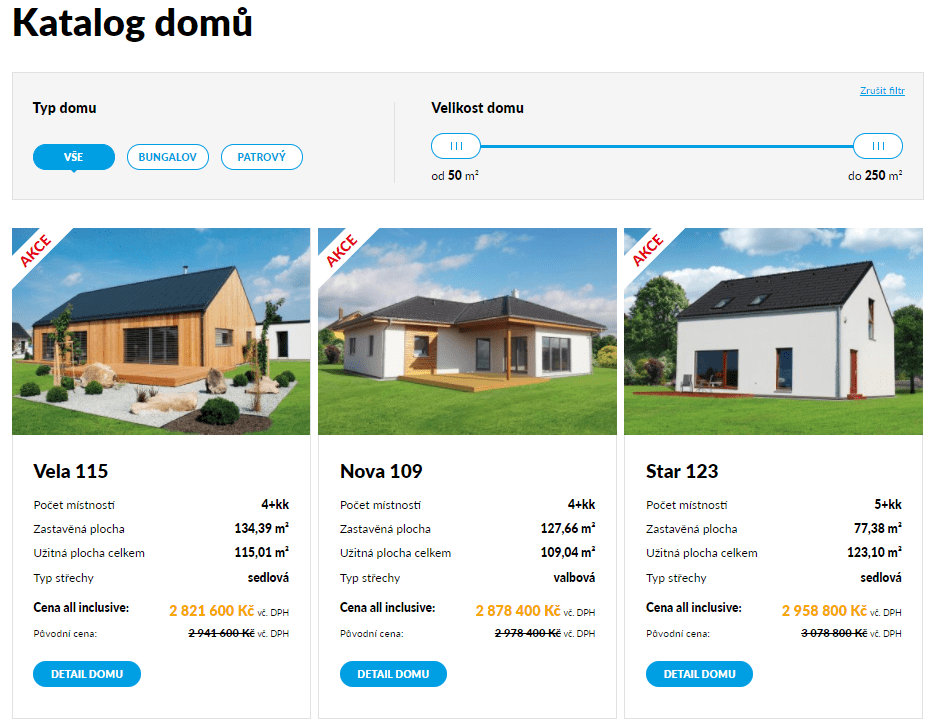
Do you remember the example from the introduction? It concerns Atrium, a company that builds timber-framed houses. Their catalogue features genuinely affordable homes for 1.5 million as well as very expensive properties. Originally, the company only quoted prices after consulting with the client. This was partly a business strategy.
However, based on user testing, we found that prices are a crucial criterion for their clients. In other words: customers clearly said, “We want to know the prices in advance.” Based on the test results, we changed the design of the online catalogue.
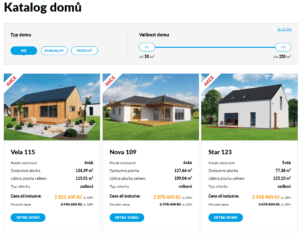
Thanks to this change, users are reading more on the website:
- 52% increase in average visit duration
- 154% increase in calls to the helpline
- 65 catalogues sent out per month (the catalogue can also be downloaded online, but the paper version is easier to read, isn’t it?)
The house details then include information on exactly which items are included in the price of the house. According to the testers, another option would be to design a calculator where it would be possible to work out the price including extras, such as a swimming pool in the garden.
Example 3: Tutuki – prices must be clear
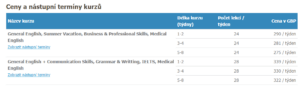
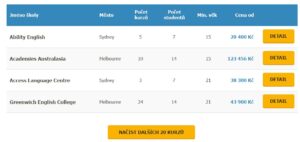
Another common pitfall is having prices on your website, but they aren’t clear enough for customers. The Tutuki agency, which organises study trips with English language tuition abroad, faces a similar problem. As agencies usually have contracts with local schools, they quote prices in € or £ (partly due to exchange rate fluctuations).
The first selection criterion among our testers was the agency’s reputation and references; the second was price. It also emerged that testers expect prices to be in Czech korunas – as converting from another currency is difficult for them. In such cases, they tend to choose a rival firm that lists prices in Czech korunas, albeit with a note that the price is indicative and may vary depending on the exchange rate.
Furthermore, the testers were confused by the breakdown of the price into items – the agency had, in good faith, listed the cost of accommodation and tuition fees separately. The testers agreed that they would have preferred a price calculator rather than several tables where they had to add the prices up themselves.