
You’ll find these tools useful for advanced analysis, or if you want to present your keywords (whether to management or clients). I’ve personally tested all of them.
The web is full of articles with guides and links to tools for generating keyword suggestions. To name a few: Google Ads, Seznam Sklik, Collabim, Marketing Miner. These tools will provide hundreds or thousands of terms that your users are searching for.
The aim of further analysis is to determine which topics people are searching for, the overall search volume for these topics, and the number of terms within each topic. This additional processing is known as categorisation, classification analysis or clustering.
Marek Prokop wrote about classification analysis and its significance as far back as 2012. This type of analysis helps with SEO, content marketing and PPC – it enables them to know which topics to focus on.
Classification analysis is also useful to marketers when planning a website’s UX structure – thematic areas help you design optimal filters and categories for an e-shop, content websites can use them to create sections, and so on. It is a kind of data-driven framework. Classification analysis is suitable for websites with a large amount of content that needs to be structured in some way.
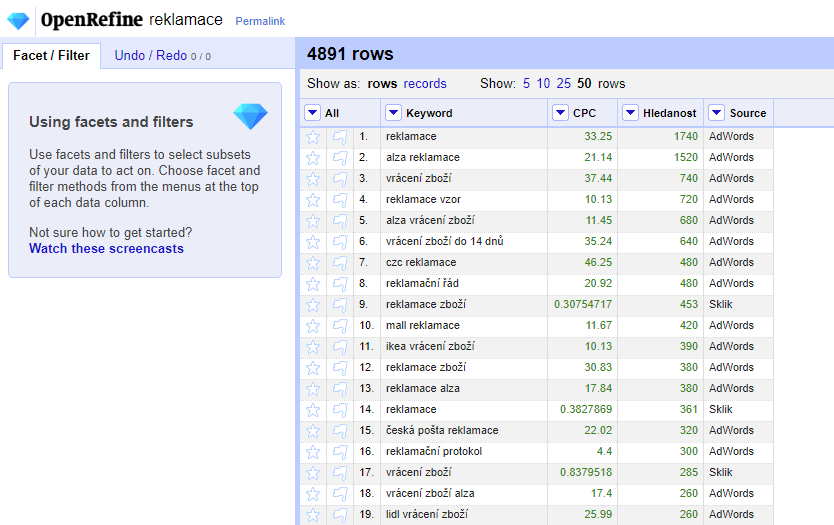
Open Refine – for manual categorisation
In the Czech community, Open Refine is the best-known tool for manual categorisation. I would recommend it to professionals who make a living from keyword analysis.

To use it, you need to familiarise yourself with the tool in considerable detail and master its programming language, GREL
. Once you’ve mastered it, however, it allows you to work with additional data, such as CPC, search volume, or data sources.
Open Refine is completely free
and operates as open source (meaning users can modify it themselves). The tool is supported by Google and can be used in several languages, though unfortunately not yet in Czech.
It is also one of the few tools capable of processing big data.
Excelák – for classification in Excel
The Excelák tool has been created specifically for the purpose of categorising keywords. It is also excellent for filtering out keywords. It is an add-in for MS Excel. The tool can be used in Czech. It is an add-in for MS Excel that is specifically designed for categorisation. It is excellent for filtering out keywords.
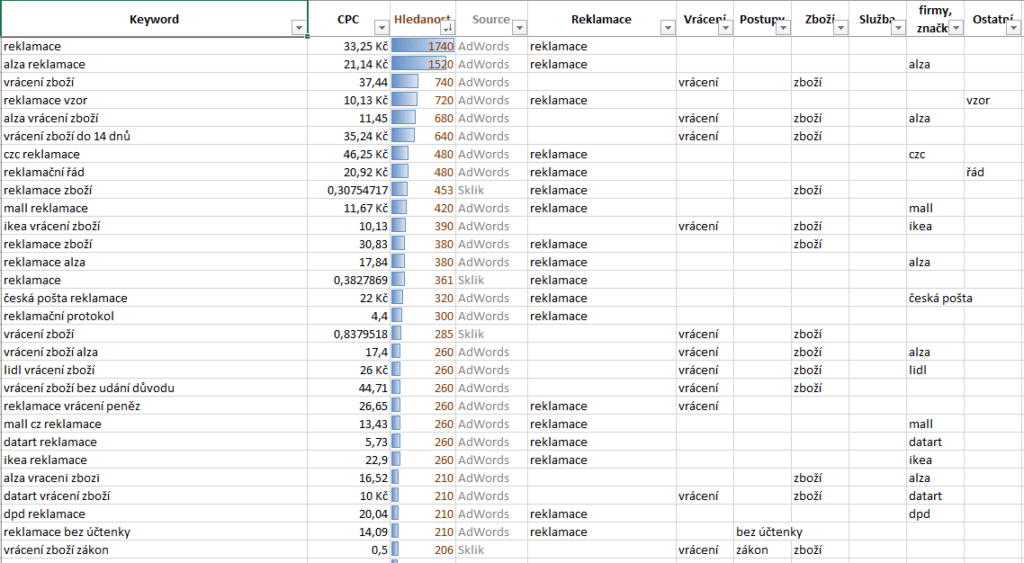
As the name suggests, you don’t need to know any fancy programming languages; you just need to be able to work with Excel spreadsheets. You aren’t limited by pre-programmed values
; you can also add your own columns, such as CPC or competitiveness.
I would recommend this tool to those who don’t want to learn OpenRefine but need to classify data manually. Or to those who manage keywords sporadically and don’t mind learning a new tool.
If you need instructions, please get in touch; I created the tool and would be happy to advise you.
Fuzzy Lookup – an Excel add-in
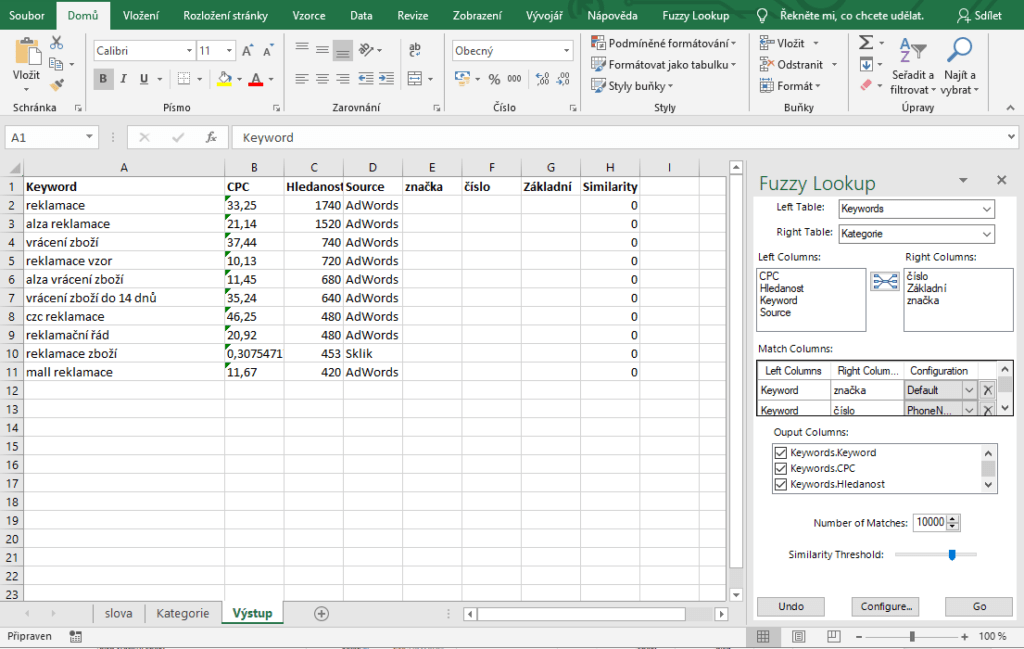 The FuzzyLookup tool works in a similar way to Excel, and like the previous tool, it is an add-in for Microsoft Excel. However, the tool is much more general-purpose; it was originally designed for comparing data. The tool can also work with similarity scores.
FuzzyLookup comes straight from Microsoft.
The tool is free and works in Czech (provided you have Excel in Czech).
MarketingMiner – a Czech tool for automatic categorisation
The aforementioned MarketingMiner can be used for automatic categorisation into general topics.
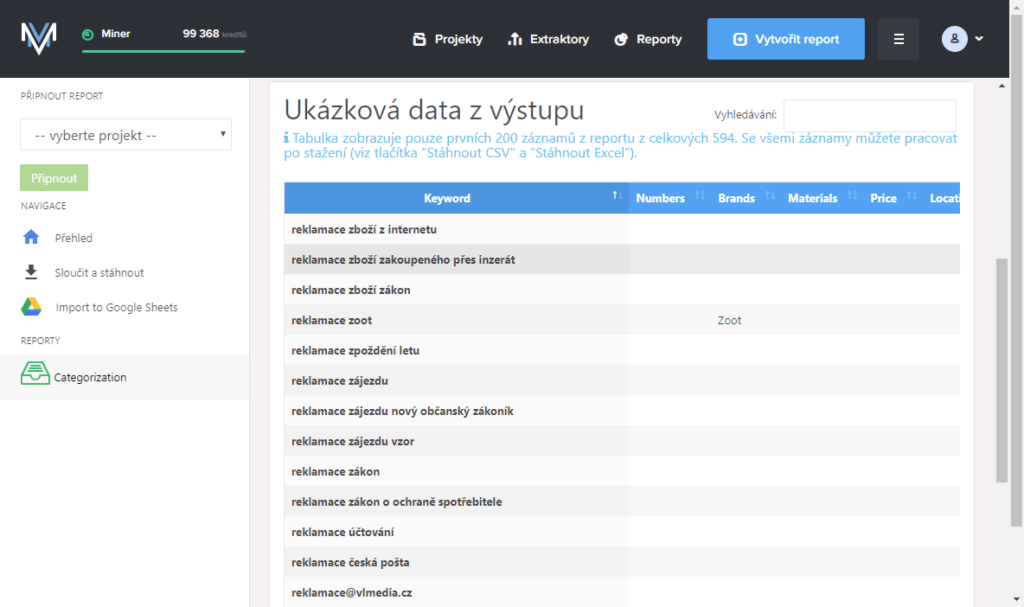 The tool can categorise data that it suggests itself. If you have data in Excel, for example, you can upload it back into MarketingMiner, but a maximum of 1,000 keywords per processing run. If you import data with search terms, you will receive the categorised data without those search terms.
Automatic categorisation can only recognise certain categories. I have prepared a sample of automatic categorisation; the system automatically recognised the following categories: Number, Company Name, Material, Price, Location.
The tool was created by Czech analyst Filip Podstavec, so it also offers support in Czech.
Kw.religis.cz – for quick classification
Another Czech online tool is Kw.religis.cz. It works on a similar principle to Excel, where you can manually sort keywords – the tool refers to these categories as ‘facets’.
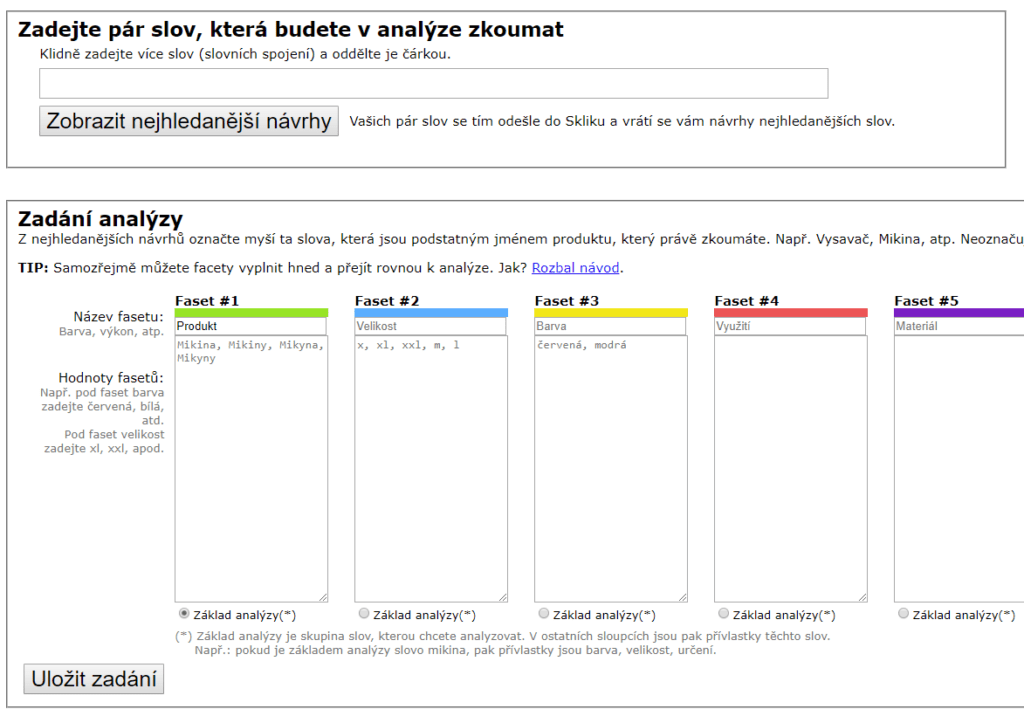 A major drawback is that you cannot import data into the tool. This means you cannot work with search volume, cost per click or competitiveness either.
You can launch the tool for free online after entering your email address. The email serves as protection against bots that were overloading the servers.
KeyWordTool.io – when Google data is enough
KeyWordTool is an online tool that allows you to retrieve search volume data from Google and other sources. It allows you to add exclusion words (so-called ‘negative’ or ‘stop’ words) and automatically recognises (categorises) phrases if they are questions.
I recommend giving it a try if you don’t want to use data from the Sklik search engine.
In the free version, you won’t get search volume data. Keywords cannot be imported.
Answer the Public – for inspiration and content topics
Content marketers will love Answer the Public. The tool does not yet support Czech terms, but Slovak might suffice. A major advantage is the automatic categorisation and subsequent graphical visualisation of keywords into branches based on predefined topics.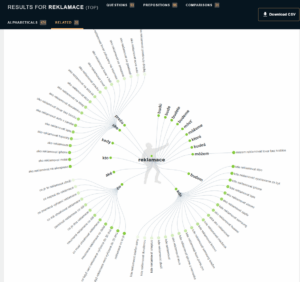
- questions
- phrases with prepositions
- comparative phrases
- words in alphabetical order
- related terms
You’ll suddenly have a wealth of inspiration for what to write your next blog post about. Anwer the Public can be used online for free.
On the other hand, you can’t import data, and the tool doesn’t show search volumes or data sources. Rather than for keyword analysis, I recommend it for inspiration and for copywriters.
- Try the tool
- Example of an export from the tool
Wordart – for playful word clouds
Finally, something fun. The Wordart tool is used to create word clouds. It’s great for infographics or articles.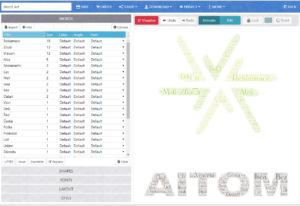
The tool doesn’t analyse keywords, but renders them. It allows you, for example, to arrange words into the shape of a logo. Have a play with the colours too. It kept our marketing department busy for nearly half an hour (playing around :-).
You can use the tool for free and then download the images, or subscribe to the paid version to download interactive versions as well.