
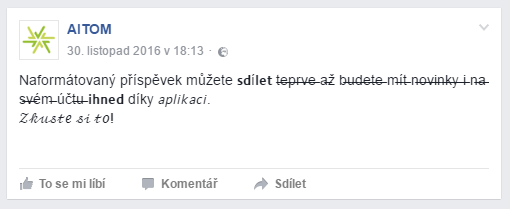
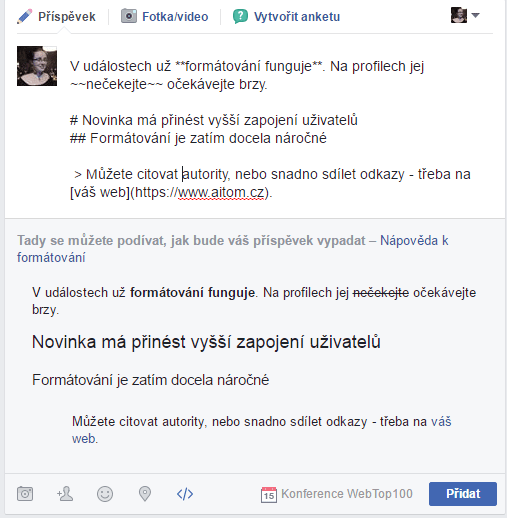
How do you format text?
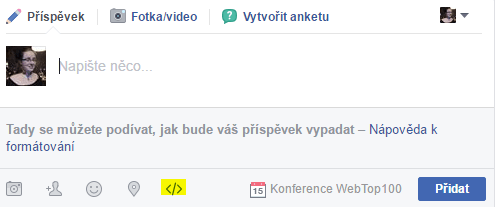
Facebook is rolling out this new feature gradually. It’s therefore quite possible that you don’t have it yet. It’s easy to find out whether you have the new feature or not. If you see the symbol
below your post, you have the new feature. Clicking this button will also show you the post in its new formatted layout. For now, the feature works for all events
; Facebook will gradually roll it out to pages and profiles as well.
The formatting is a bit unusual, so Facebook has prepared a guide that you’ll have to hand whenever you’re writing a post.
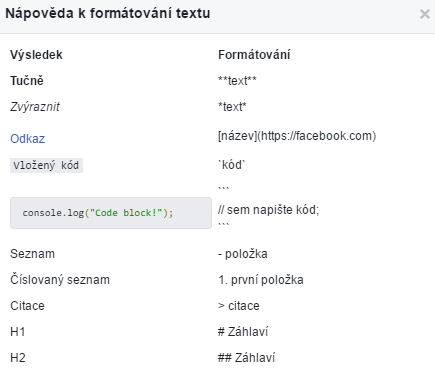
- Headings
Write headings using # (type the symbol by pressing the right ALT key + X). Place the symbol before the heading: # (space) Heading 1. You can write up to two headings. For a second-level heading, simply type 2 #, a space, and the desired text. - Bold text
To make text bold, simply enclose it in two asterisks. **Everything between the asterisks will be bold.**
You can find the asterisk on the numeric keypad or simply press ALT and enter the numbers 42. - Italics
To create italics, simply use 1 asterisk. *Again, enclose the text in italics with an asterisk on both sides.* - Strikethrough text
You can strike through text using the ~ character. Don’t look for it on the keyboard; press ALT 126.
~~Use two characters for a strikethrough.~~ - Quotations
These are great if you often quote others or just want to share a nice quote. You need the > symbol (type it using ALT 62). - Links
You now have the option to format web links. This means you can share a link to your website within the text concisely, without the full URL.
[link text](https://www.vas-web.cz) – type square brackets using ALT 92 and ALT 93. - Large font
Apparently, this applies to posts of up to 35 characters.

However, the best-known social media expert, Eliška Vyhnánková, has noticed that Facebook sometimes does as it pleases.

Don’t want to worry about extra characters? Use Gregory Schoppe’s tool; simply paste your text and edit it as you would in Word. Then just copy and paste it into Facebook.
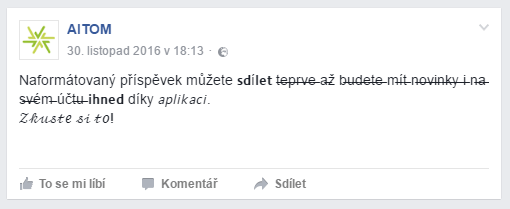
How to use formatting?
Facebook’s main hope is that these new features will delight users, who will want to experiment with them more. We’ll see – as soon as the new features are available in AITOM, we’ll prepare a case study for you. But we already have some basic tips on how to work with formatting.
1. Strikethrough to highlight discounts
This feature will be particularly useful in the run-up to Christmas and for post-Christmas sales. Any text highlighting catches the eye. Highlight the word ‘discount’ or ‘free delivery’ and you’re almost guaranteed to grab users’ attention. Remember that you can now link to products very elegantly. Make the most of it.
2. Bold text catches the eye
In longer text on your website, we always recommend highlighting key information in bold; the same applies on Facebook. Are you launching a new product? Highlight it. Similarly, you can write the venue and time of an event in bold, and so on.
3. Capital letters grab attention in the feed
Most users just scroll through their newsfeed bored. Need to draw attention to something important? Keep it super brief and include a link, perhaps using a shortener like bit.ly.
4. Use formatting to support your brand
Consider how playful or conservative your brand is. Progressive companies can have fun with formatting. Test different formats; you’ll soon find out what your users like.
5. The rule is that less is sometimes more
Don’t overdo the formatting either. Choose the posts that have had the greatest response from users so far, and work only with those to start with. Test what works and only then move on to less popular posts. Definitely don’t use more than 2–3 formats in a single post. You don’t want the post to look like a fairground attraction.