People only read 25% of what you write
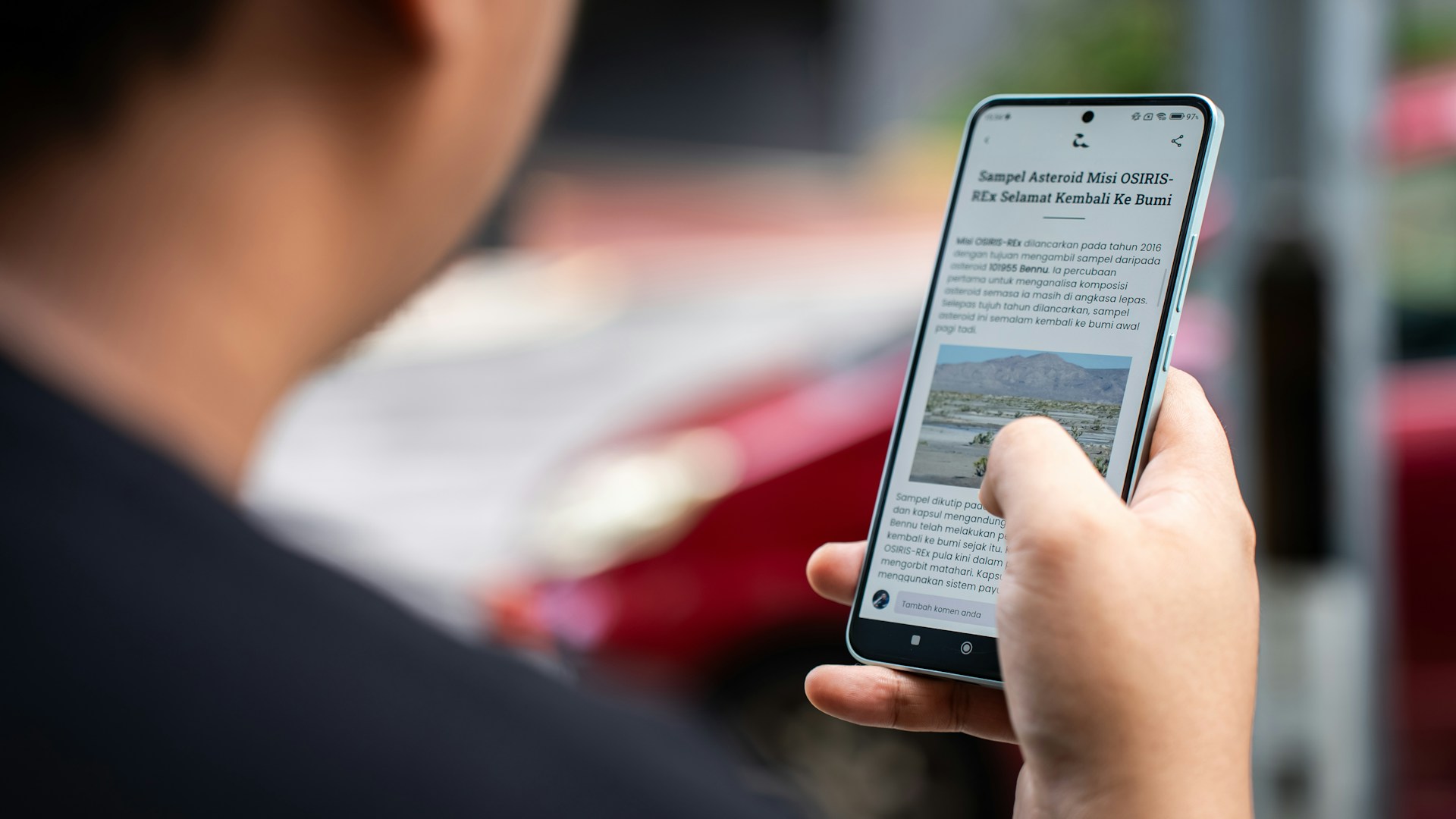
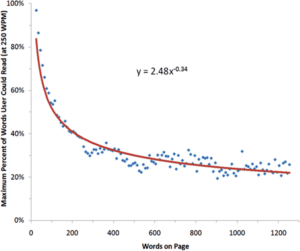
The fact that users don’t read on the internet is nothing new. Jakob Nielsen first put forward this idea back in 1997. Based on his research, he concluded that on a page containing 600 words (i.e. 1.5 standard pages), people read just over 25% of the words.
When reading a text, we first look for evidence that it actually provides the information we need and offers added value. If it does, we are willing to read on. In practice, this means we first scan the text with our eyes to see if it’s even worth reading.
Win over the customer within 9 seconds
Important messages belong above the fold. That is, in the area you see on the screen when you open a page without having to scroll. The area above the fold is usually considered to be up to 600px. There is still debate about whether users scroll or not.
In the 1990s, when Nielsen conducted the aforementioned research, users hardly scrolled at all. Nielsen carried out further research in 2010 specifically on scrolling. The result: 80% of users look for key information above the fold, but scroll quite naturally. For example, 67% of users scrolled all the way down our article about the Mergado service. Only 20% of users scroll all the way to the footer. This is crucial information; based on it, we position conversion buttons and calls to action so that they are constantly in the user’s view. You can check how your users scroll for free using the Monkey Tracker tool.
Tell the user what to do
However, you must capture the user’s attention within 9 seconds; they won’t have time to scroll that far. Attractive and important content therefore belongs at the top.
Make sure that users realise at first glance that they need to scroll and that there is more waiting for them below the fold. A prominent arrow is enough, or a snippet of the next element can be visible. One of these pages draws attention to the content below the fold, the other does not. Which one will you scroll down on?
How do you get users to read?
The trick is to write a good article and win over users whilst they’re still scanning:
- Anchor points – users need headings, links and bold text
- Bullet points and numbered lists grab attention
- A headline that grabs attention and motivates the reader
- Relevant text – think about what the user is looking for and offer them relevant information
Structure the text logically, using an inverted pyramid format. This means that the key points go at the top and the details are gradually expanded upon. This is how newspapers are written, for example. If you’re not confident, contact a copywriter who knows all this.
Create an article that is actually readable. Font size and type are important. Opt for a sans-serif font. The font should be at least 16 pixels.

How long should a text be to ensure people read it?
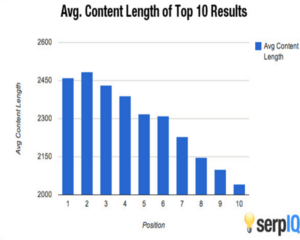
Based on the first graph, one might think that a short text is a winner and everyone will read it. The opposite is true. Generally speaking, shorter texts spark discussion, whilst longer ones are better for sharing on social media and SEO.
Google values high-quality content above all else. The Google Panda algorithm considers texts under 300 words to be of poor quality. Conversely, articles over 2,450 words achieved the highest ranking.
However, the primary factor is not the length of the text, but the value it provides to the user. When writing a brief piece of information about a new service, you won’t pad it out with another 1,500 words. Conversely, if you’re writing a case study, you can let yourself go.