
In an age where the internet rules the world, it’s not just us but businesses too that want to be seen online. New opportunities are being exploited to raise their profile and gain an edge over the competition. Companies are exploring a vast array of tools to register and create their profiles. Apart from a Facebook profile, there are plenty of other options for businesses, ranging from Google and Twitter to Instagram, Pinterest, Foursquare and more. It always depends on the specific company’s objectives and approach to social media marketing.
The professional network LinkedIn holds a significant position. The basic version is completely free, but if you don’t want to use this network merely as a ‘CV noticeboard’, you can go much further for business purposes. There are paid premium versions designed to make it easier to acquire and manage contacts. Essentially, accounts are divided into Basic (free) and Premium (paid).
Profile optimisation plans:
- land your dream job
- expand and keep your network active
- to generate more business opportunities
- find and recruit new employees
For business purposes, it is therefore advisable to choose a plan focused on generating more business opportunities. For paid accounts, you can choose between two options: Business Plus or Sales Plus. However, the differences between them are minimal. You can upgrade from a Basic to a Premium account directly via your account settings. Registration takes a few minutes and is non-binding, although you will need to provide your account number and other details.
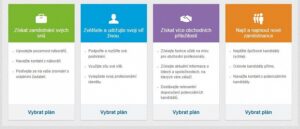
Differences between Basic and Premium accounts
A Premium account allows you to send InMail messages to anyone on LinkedIn, enabling you, for example, to reach out to potential customers or send connection requests with a collaboration proposal. Furthermore, this account offers additional search results and lets you see more information about people who have viewed your profile. LinkedIn can also be used as a CRM for storing contacts you’ve found, including notes. Try adding notes directly to a contact’s profile, in the ‘Relationship’ tab. LinkedIn can sync your connections with your calendar and with contacts in Gmail, Outlook or Yahoo.
You can try the paid version of the account free of charge for 30 days. After that, it is automatically converted to a paid account. LinkedIn offers either monthly or annual payments. Annual payments save you 20% compared to monthly payments. A monthly fee of €44.99, or a one-off payment of €419.88 for the whole year, will be deducted from the account you provide during registration. You can cancel your paid account free of charge at any time directly via your settings, provided you do so before the end of the billing cycle (30 days).
Business Plus
With a Business Plus account, anyone can contact you via 15 InMail messages. The benefit is an advanced search function extending up to third-degree connections. You can use advanced filters when searching. You can also see who has viewed your profile in the last 90 days and even find out how they found you. If you cancel your Premium account within the 30-day trial period, your message credits will remain valid until the end of the current billing cycle.
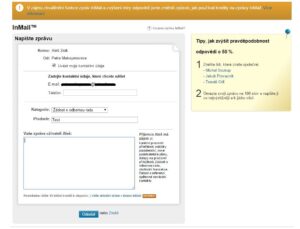
Sales Plus
This account offers the same features as Business Plus, but with a little extra. You still get 15 InMail messages to reach out to people with extended permissions, even if you aren’t connected to them. LinkedIn recommends potentially interesting contacts and offers an advanced search where you can use up to four filters simultaneously, making it easier to find new contacts.
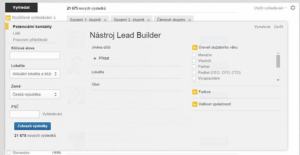
Just as with Business Plus, you can also see who has viewed your profile in the last 90 days. Make the most of this interest in you. Try the Lead Builder tool to create a list of business partners who can help you secure more business deals. With TeamLink, you can easily see which of your colleagues or connections can put you in touch with a particular person.
Tips for a successful company profile
Employees are an indispensable part of every company. If you want your company to be successful on LinkedIn, it is essential that your employees are active there too. Therefore, everyone who is part of the company should be encouraged to be active on this network. The company’s visibility will increase when employees themselves add references and projects they have worked on to their profiles.
When building new connections, it is advisable to state the reason why you wish to connect with the person in question; this comes across as more trustworthy. It is therefore not a good idea to send the automated requests offered by LinkedIn; instead, create your own, highlighting why you wish to connect with that person, or how you know them.