
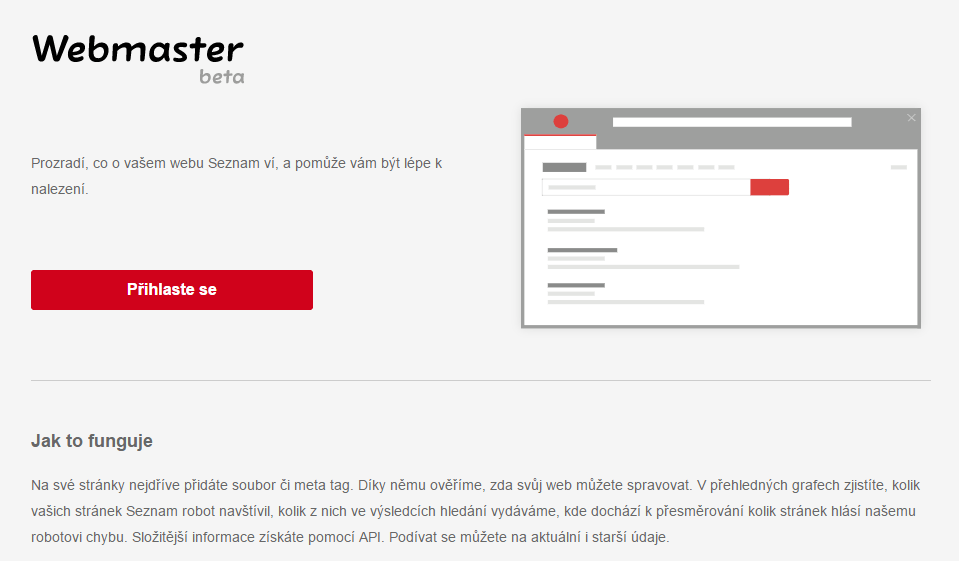
Anyone involved in SEO knows that it simply doesn’t work without measurement. The essential tool is Google Search Console. This tool can, for example, identify duplicate content, check metadata and index status, detect 404 pages and other critical errors.
Seznam has introduced its own tool, which is designed to work in a similar way. The tool tells you how many pages Seznam’s bots are indexing, the number of redirected pages, or how many pages are reporting an error to the bot. However, it only provides a few basic metrics, which you can also determine more or less accurately using other tools. It is currently in beta, and Seznam is continuing to develop the entire system. (After all, Google Search Console wasn’t built in a day either.)
The tool works via an API that you embed in your website’s header, much like when setting up Google Search Console. A developer will implement the API for you. You can log in here using your Seznam password.
How to start measuring your website?
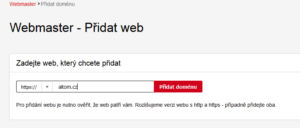
Add your domain
. It is important to distinguish between the https:// and http:// versions. Enter the one that is your priority for tracking. In the case of Aitom.cz, this is the encrypted version using the
https protocol
. Whether you include www or not does not matter.
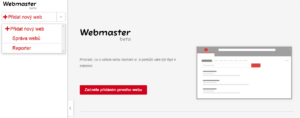
Choose how you want to set up the connection between Seznam Webmaster and your website. There are two options:
- A meta tag that you insert into the website header
- A certificate file that you upload to the domain’s root directory
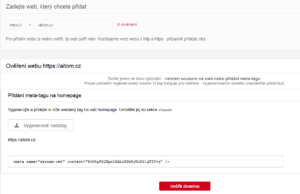
Important – submit the generated code immediately and do not create a new one! Once you generate a new code, the old one becomes invalid.
You can find a quick guide on how to add the code to WordPress yourself in Tomáš Zahálka’s article
, for example. Once your developer has implemented the meta tag or file, click on Verify Domain. You’ll gain access to the results straight away. Seznam has been tracking data since 15 March 2017.
What Webmaster will tell you:
- Basic information about the website
- Page history
- Number of indexed pages
- Number of pages with redirects
- Number of pages that Seznam Bot cannot crawl correctly (i.e. number of pages with errors)
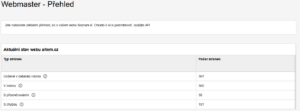
A major drawback is that, for the time being, you cannot determine which pages
are redirected and which exactly Seznam Bot cannot crawl, nor why. So, whilst you know that the bot has detected an error somewhere, you cannot fix it. We can only hope that Seznam will add these features soon.
To check redirected pages, it’s better to use Screaming Frog SEO Spider
. The basic version is free and will tell you exactly which pages are redirected and where.
Detailed data? Only via the API
In theory, you can use the
API
to obtain further data, but even that won’t significantly help improve the website. Unfortunately, only your programmer can handle the API, so a non-technical user is left in the lurch. Compared to Google Search Console, Seznam is at the start of a long journey. But it is certainly the first sign of things to come, and one worth keeping an eye on.
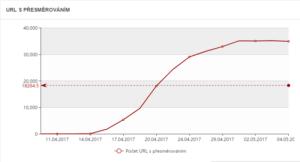
Chart source: Blog | SEMOR.CZ
Unfortunately, even the API isn’t a silver bullet. You do get more advanced graphs – see, for example, the one in the image – as well as a list of URLs. But the API will return a maximum of 1,000 rows; it simply can’t do any more than that. You won’t learn much about incorrect URLs from the API either, so you still won’t know exactly what to fix.
According to information from Pavel Ungr, the Collabim and Marketing Miner tools will gradually implement Seznam Webmaster data, which could prove very interesting.
Just as with Google’s tools, you can add additional administrators or monitor the results of several websites within a single profile. The system is sufficiently intuitive, and you certainly won’t get lost in the settings.
The tool acts as a communication channel between the website administrator and the search engine. For example, you can quickly report spam or contact Seznam support in just two clicks, which we consider to be very useful.