

Nowadays, most companies and website operators use Google Analytics to track website traffic statistics. For those who haven’t used such tracking tools before but would like to start, a few initial tips might come in handy.
Google Analytics is a service that allows you to track your website traffic in great detail, completely free of charge. It is also an indispensable tool for monitoring the success and progress of your campaigns, whether you use PPC (Sklik.cz, AdWords), price comparison sites such as Zboží.cz, or paid directories such as Firmy.cz, etc.
How do you sign up for Google Analytics?
To access Google Analytics, you need to have a Google account.
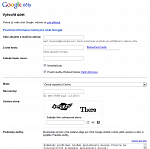
- If you do not have such an account, you can create one quite easily here.
- The email address and password you provide when registering your account will also be used to access GA.
- After registering, you will receive a verification email, which you must confirm.
- Confirm the registration of your new account by clicking on the link provided in the email.
Your administrator must then implement the necessary tracking code on your website and share the statistics with you.
- From then on, you will always use the page http://www.google.cz/analytics to access your traffic statistics.
- Use the blue ‘banner’ in the top right-hand corner to log in.
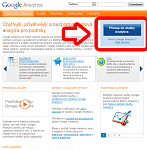
- Log in using the email address and password you provided when creating your Google account.
- You will be taken to the home page, where you simply select and click on the website you are monitoring to view the statistics.
- You will be taken to the website statistics overview, where you can monitor traffic in real time. Please note, however, that the statistics are displayed with a one-day delay.
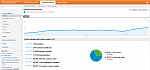
Option to share statistics with other users
If you wish to share statistics with other selected users, simply open the statistics page and click on the settings icon (a cogwheel) on the right-hand side of the orange bar.
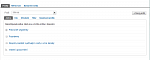
A settings menu titled “Profiles” will appear. To manage users, select the “Users” tab in the menu. The overview shows all users authorised to access your website’s traffic statistics and their permissions (roles).
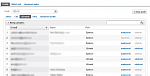
Here you can also manage existing users and add new ones. Use the “New user” button on the left for this. Enter the email address of the account with which you wish to share the statistics. Select the role “user” or “administrator”. A user can only view the statistics but cannot perform any further actions with them.
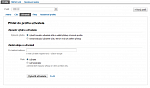
Therefore, when sharing statistics with, for example, an internet marketing specialist, it is always necessary to set the “administrator” role. Once saved, the statistics are immediately accessible.